 Parcly
Track your USPS package.
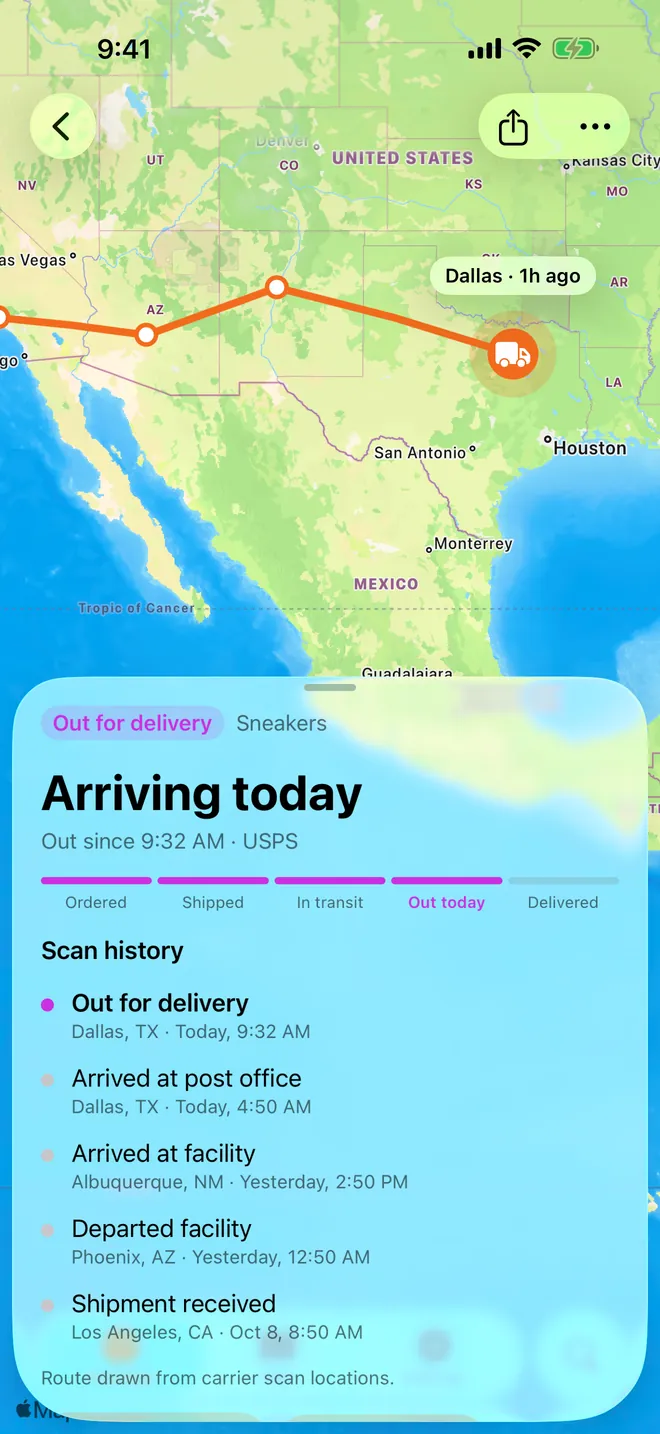
Paste, scan or screenshot your USPS tracking number. Parcly recognises the format, shows every scan the carrier reports, and tells you when it's out for delivery.
See the latest scans here. Get alerts and the route map in the app.

Free for your first package.
No account needed.
Where to find your USPS tracking number.
Look in your shipping confirmation email, on the receipt from the Post Office, or under the barcode on the label. USPS numbers look like this:
- 22 digits, usually starting with 92, 93, 94 or 95, like
9400 1118 9922 3456 7890 12 - 2 letters, 9 digits, then US (international mail), like
EC 123 456 789 US
In Parcly, paste the number, scan the label with your camera, or pick a screenshot of your order. Parcly reads the number and finds the carrier.
- Every scan USPS reportsNewest first, with the city and time.
- A route mapDrawn from the places the package was scanned.
- Out-for-delivery alertsPlus a Live Activity on your Lock Screen on delivery day.
- No accountFree for your first package. Parcly Pro unlocks unlimited packages.
Parcly is an independent app and isn't affiliated with USPS. Tracking details come from USPS's scans. You can also track on USPS's website.
Know the moment it's out for delivery.
Add your USPS tracking number and Parcly takes it from there.